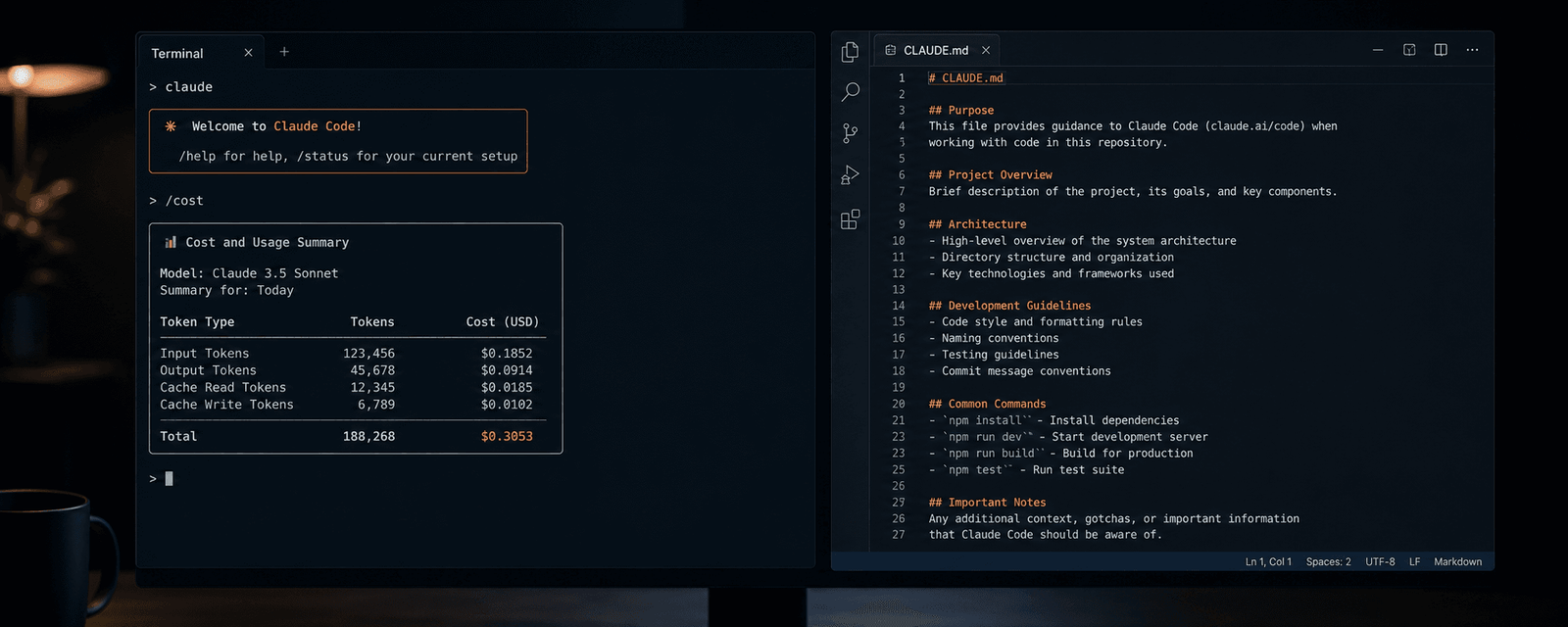

The most common reason Claude Code gets expensive is not a long prompt. It is context: the invisible accumulation of files read, tool outputs, and conversation history that gets reprocessed on every single turn. I have been using Claude Code heavily across several projects recently, including building a WordPress block theme using Google Stitch and Claude Code. Once I understood the mechanism, the cost spikes made a lot more sense.
This post covers which tasks consume the most tokens when coding with AI tools and the practical steps you can take to bring Claude Code token usage down. Most of this applies equally to Codex CLI, since both tools share the same underlying pattern.
What Claude Code Token Costs Actually Look Like
It helps to have a realistic sense of the numbers before getting into what drives them. According to Anthropic’s official documentation, the average Claude Code cost across enterprise deployments is around $13 per developer per active day, or roughly $150–250 per month. For most people, that is manageable; however, in my experience, Anthropic’s low cost estimates are far off the real daily costs users are experiencing. Developers running Claude Code as an agentic tool, performing multi-file refactors, spending long debugging sessions, and using automated pipelines can easily find themselves spending $500–2,000 a month via the API, if not more.
One thing that catches people out is the input/output split. Input tokens are relatively cheap. Output tokens are approximately five times as expensive across all models. A request that costs ten cents in input can cost fifty cents in output if Claude writes a long response or generates a large file.
If you are on a subscription plan such as Claude Pro or Max rather than pay-as-you-go API billing, your exposure is different. Subscriptions have usage limits rather than direct per-token costs, so the financial pressure shows up as hitting daily or weekly quotas rather than a larger invoice. The optimisation habits in this post still apply regardless; they just determine whether you exhaust your quota by noon or keep working all day.
As I argued in my post on why AI code costs are not heading to zero, the real cost of AI-assisted development is rarely what the pricing page suggests. Understanding the mechanics is the first step to managing it sensibly.
What Uses the Most Tokens When Coding with AI
Long sessions where context keeps growing
This is the biggest cost driver, and it is not obvious until you understand how these tools work. Claude Code and Codex are stateless between turns. Every time you send a message, the tool re-processes the entire conversation history: all previous messages, every file that has been read, and every tool call result to maintain context. The 40th message in a session is paying for everything that came before it.
A session running for several hours on a medium-sized codebase can consume anywhere from 10,000 to 100,000+ tokens depending on complexity and the number of back-and-forth iterations, and most of it accumulates without any visible warning.
Reading entire files when only part is needed
Every time the agent reads a file, its full contents are added to the context and remain there for the rest of the session. Reading a 500-line file when you only needed one function is expensive. In Claude Code, you can ask for specific line ranges rather than the whole file. In Codex, keeping your working files small and well-scoped helps the model stay focused. This habit may sound minor, but it makes a meaningful difference over the course of a full day of work.
Vague requests that trigger broad codebase exploration
Asking Claude Code to “improve this codebase” or “find any bugs” causes it to start reading files, exploring directories, and pulling in context that may have nothing to do with the actual problem. A specific request like “add input validation to the login function in auth.ts” lets the tool work efficiently with minimal file reads.
This is something I have noticed directly when using Claude Code for WordPress plugin development. A well-scoped prompt pointing at a specific function is consistently cheaper and more reliable than a broad one. It is also part of why TDD works so well with AI coding tools; writing tests first forces you to define exact behaviour before the AI touches anything, which naturally produces tighter, cheaper prompts.
Agent teams and multi-agent tasks
According to Anthropic’s documentation, agent teams use approximately seven times as many tokens as standard sessions. Each agent maintains its own context window and runs as a separate Claude instance. If you are using this feature, keep team tasks small and self-contained to limit the overhead.
Verbose command output
Commands that produce large amounts of output, a full git log, a complete test suite run, a large JSON blob from an API call all feed directly into context. This happens through tool calls rather than your own typing, which makes it easy to miss. Where possible, pipe output through head, tail, or grep to return only what is relevant. Returning 20 lines instead of 2,000 is a meaningful saving over a full session.
Using a powerful model for a simple task
Claude Opus is significantly more capable than Sonnet at complex reasoning, but it costs roughly five times as much. Using Opus to rename a file or check a function signature is overkill. Sonnet handles the vast majority of everyday coding tasks well, and Haiku is fine for quick lookups and simple completions. Matching the model to the task’s actual complexity is one of the easiest ways to reduce Claude Code costs without affecting output quality.
A bloated CLAUDE.md file
The CLAUDE.md file loads before Claude reads your code, before it reads your task, before anything else. It persists in the context window for the entire session and is never lazy-loaded or evicted. A 5,000-token CLAUDE.md costs 5,000 tokens on every single turn, whether you send two messages or two hundred. If you have pasted in meeting notes, design history, or long implementation guides, you are constantly paying for all of it.
How to Reduce Claude Code Token Usage
Keep CLAUDE.md lean and focused
CLAUDE.md is the right place for standing instructions you would otherwise retype every session: how to run tests, which package manager to use, your formatting rules, important architectural constraints, and which directories Claude should avoid. Anthropic’s guidance suggests keeping it under 200 lines. Treat it as a lookup table, not a documentation dump.
In a monorepo, split your CLAUDE.md across subdirectories rather than keeping one large root file. Subdirectory files load as Claude navigates into those directories rather than all at once, which keeps the baseline context lower. Run /init in Claude Code to generate a starting CLAUDE.md if you do not have one yet.
Use /compact and /clear between tasks
/compact compresses the conversation history when context has grown large. /clear starts a completely fresh session. Claude Code will auto-compact at 95% of its context capacity, but triggering /compact manually before that point gives you more control and avoids losing important context in the compression. Use /clear whenever you switch to an unrelated task — stale context from previous work costs tokens on every message without contributing anything useful.
In Codex CLI, the equivalent habit is starting a new session with /new when switching between unrelated tasks.
Use plan mode before expensive operations
Claude Code’s plan mode is toggled with Shift+Tab. In plan mode, the tool outlines a step-by-step approach without making any changes. You review the plan, remove anything unnecessary, and then switch back to normal mode to execute. This prevents the most wasteful pattern in AI coding: trial-and-error execution, where Claude attempts something, hits an error, and iterates — each iteration costing tokens. Catching the wrong direction in planning is much cheaper than catching it ten tool calls later.
Be specific about which files to read
Use CLAUDE.md to explicitly list which directories Claude can and cannot read. You can also add a .claudeignore file to your project root — it works like .gitignore and stops Claude pulling in build artefacts, node_modules, generated files, and other directories it has no reason to touch. When asking Claude to look at something, point it at the specific file and line range rather than asking it to find the relevant code itself.
Disable MCP servers you are not using
Each enabled MCP server adds its tool definitions to your system prompt, consuming part of your context window before you have typed a single thing. If you are not using a particular MCP server in the current session, disable it. In Claude Code, use /mcp to review which servers are active and switch off the ones you do not need for that task.
Track what you are spending
The /cost command in Claude Code shows detailed token usage statistics for the current session. Check it whenever a session starts to feel expensive. For API users, the community tool ccusage provides daily and monthly breakdowns from local session logs, which makes it easier to spot which task types are costing the most. For subscription users, /stats shows usage patterns within a session.
What a Realistic Reduction Looks Like
Teams that have applied these habits consistently have reported significant reductions. One engineering team published their results after cutting costs by 72% over eight weeks — from $2,400 to $680 per month for a six-person team — without any reduction in output quality. Multiple sources report 40–70% reductions as typical once the main cost drivers are properly addressed.
The underlying shift is treating context as a resource you actively manage rather than something that just accumulates in the background. Once that thinking becomes habitual, most of the savings follow without much extra effort.
Wrapping Up
Start with these four changes and you may see the biggest gains: keep CLAUDE.md short and focused, add a .claudeignore to stop unnecessary file reads, use /compact and /clear regularly between tasks, and match the model to the task complexity. In my experience, those four habits account for most of the unnecessary token spend.
The rest: plan mode, scoping requests precisely, and disabling unused MCP servers further compounds the savings once the basics are in place.
A quick note on accuracy: pricing for Claude Code and Codex changes regularly. The figures here were correct at the time of writing in June 2026. It is also worth knowing that the Opus 4.7 tokeniser, released in April 2026, can produce up to 35% more tokens for the same input text with no change to per-token rates. So if you upgraded recently and noticed costs increase, that may be part of the explanation.
If you have found other approaches that work well, or if your experience with Claude Code token costs has been noticeably different, I would be glad to hear about it in the comments.
2 responses to “How to Reduce Token Usage in Claude Code and Codex”

I’m interested if you’ve found or have a way to judge which Anthropic model to use for a given prompt – for example, it would be really interesting to be able to go back and look at the typical requests in a given chat, categorize them, and then say something like “You could have used Haiku for this” or “This function struggled because you needed reasoning that Opus provides, but not Sonnet”.
It all seems very unclear right now particularly since we can’t REALLY see what exactly the AI is doing except going off of token cost, code output, and reading lots of “Wait, but that’s not right, I should do ABC before XYZ”. Figuring out some sort of analysis would be huge for pretty much any customer, API or subscription.
Hi Danny, great question and something I have been thinking about quite a bit myself. I don’t think there is a clean answer yet, which is frustrating given how much it matters for cost.
From my experience, the rough split I use is this.
Haiku is fine for anything mechanical: formatting, simple completions, quick lookups where you already know roughly what the answer should look like. Sonnet handles the vast majority of real coding work well, including most refactoring, function writing, and debugging where the error message gives you a clear starting point.
Opus is worth the extra cost when the problem has multiple interacting causes, when Sonnet has already had a go and clearly got stuck, or when the task requires holding a lot of context in mind and reasoning across it. Complex architectural decisions being the obvious example.
One thing you might find useful is that Claude Code has a built-in alias called opusplan, which uses Opus during plan mode for the reasoning and architectural work, then automatically drops back to Sonnet for the actual execution. That is probably the closest thing currently available to the kind of automatic task-based routing you are describing, and it is worth trying if you have not already. You can switch to it with
/model opusplanduring a session, or launch withclaude --model opusplan.Your idea around retrospective analysis is really interesting and I think it would genuinely be useful. Right now the best available option is something like ccusage for reviewing session logs, but that shows you token volume rather than task type, so it cannot tell you “Haiku would have been fine here”.
Building that kind of classification on top would require logging prompts and scoring output quality over time, which a few people seem to be experimenting with, though I have not seen anything polished yet. It feels like a gap that will get filled eventually, but for now it is still mostly guesswork and pattern recognition from experience.

Leave a Reply